MOSS-Image layout builder
Draw boxes on the canvas, say what goes in each one, and copy the JSON MOSS-Image takes as its prompt. Paste a layout you already have to see where its boxes fall.
Drag on empty space to add a box, drag a box to move it, drag its corner to resize. Blue boxes are text, grey are objects, amber are characters.
Edit or paste JSON here and the canvas follows. Use the same width and height when you generate.
How MOSS-Image reads a layout
Layout control is marked experimental by the developers, but it is one of the model's two headline features. The prompt is a JSON object with a scene summary and a list of items:
| Field | Meaning |
|---|---|
summary.caption | The whole scene and its style |
summary.meta | Optional tags such as poster or photograph |
items[].label | text, object or character, the three ComfyUI's layout node writes. The official examples also use panel for backgrounds and subject |
items[].caption | What the element looks like |
items[].text | The exact words to render, text items only |
items[].bbox | [y_min, x_min, y_max, x_max] in pixels |
bbox_coord_space | abs_centralized: the origin is the canvas centre, x grows right, y grows down |
bbox_format | yxyx |
On a 1024×1024 canvas both axes run from −512 to +512. To convert ordinary top-left coordinates, subtract half the width from x and half the height from y. The builder does this for you.
The team chose absolute pixels over relative coordinates on purpose: they think pixels carry over better between resolutions and aspect ratios. So keep the canvas size here the same as the size you generate at.
Some official examples use a different shape, a “scene JSON” with gen_brief and elements (type, identity, salience). The model reads both; the builder loads both and writes the documented one.
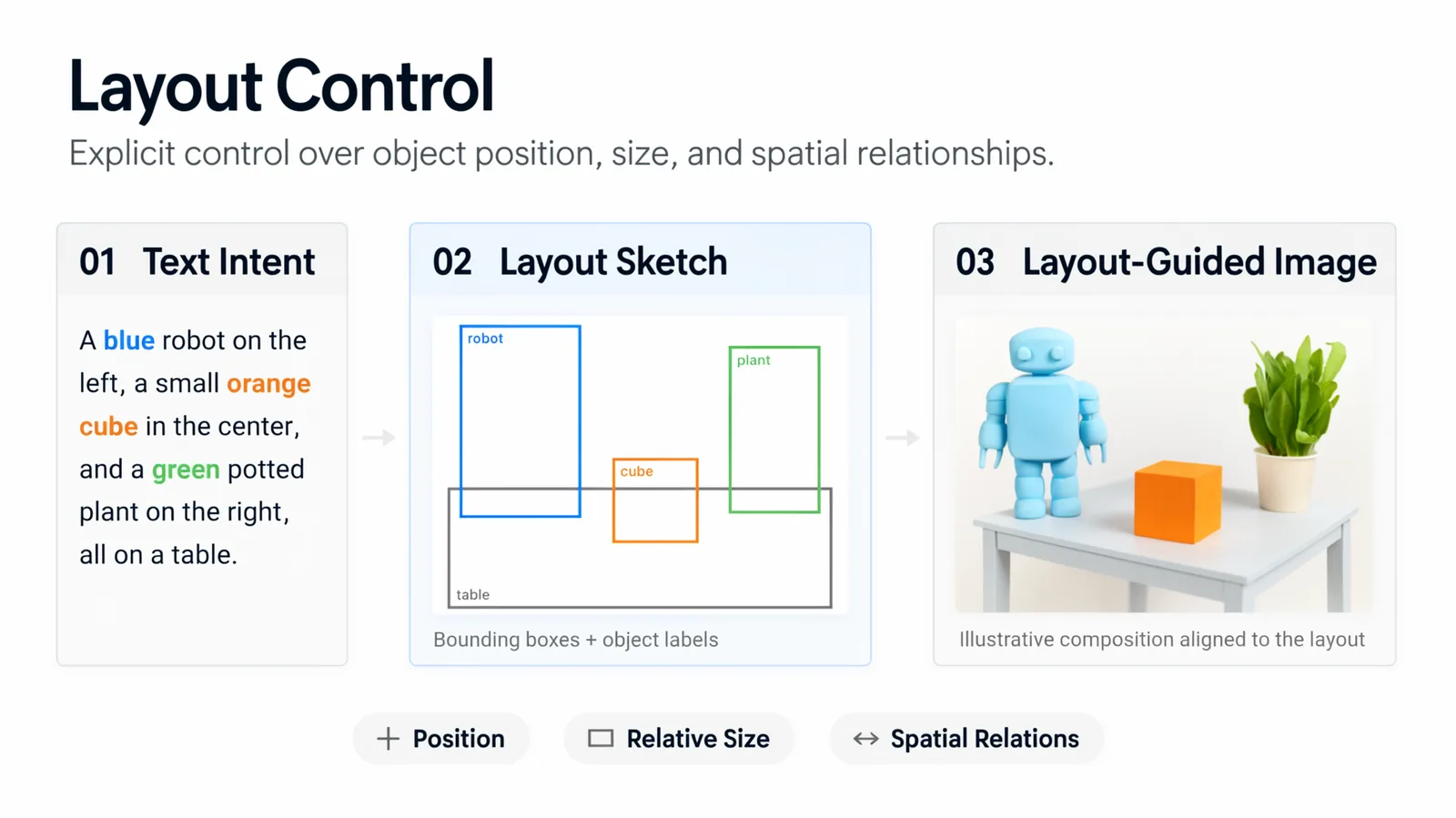
The official layout figure: a text intent, the boxes, and the resulting image.
Using the JSON
- Gradio / Spaces: paste it into the Prompt field and set the same width and height.
- Python: pass
json.dumps(layout, ensure_ascii=False)as the prompt. - ComfyUI: paste it as the positive prompt, or draw the boxes inside ComfyUI with Create Bounding Boxes → MOSS-Image Layout Prompt (how). In the bbox template, switch the prompt upsampler off or it rewrites your layout.
- From an idea: the official prompt enhancer skill has an agent draft a layout from a description.