MOSS-Image: try it, download it, run it
OpenMOSS's open 5B text-to-image model, released 16 Oct 2026 under Apache 2.0. It writes long, correct text in English and Chinese and lets you place things with boxes. Try it in the demo, then take it home with the right files for your GPU.
- Size
- 5B single-stream DiT, 42 layers
- Text encoder
- Qwen3.5-9B, up to 4,096 tokens
- VAE
- FLUX.2
- Versions
- Base and SFT
- Defaults
- 50 steps · CFG 3 · shift 5 · more
- Licence
- Apache 2.0, commercial use allowed
Files for my GPU · ComfyUI setup · Draw a layout
Nothing to type? Copy one of the official prompts into the demo:
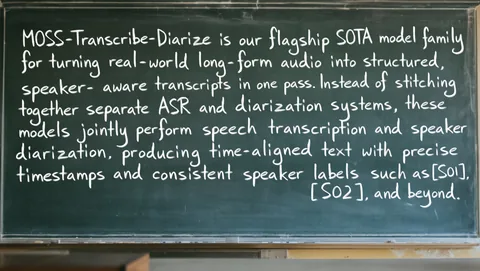
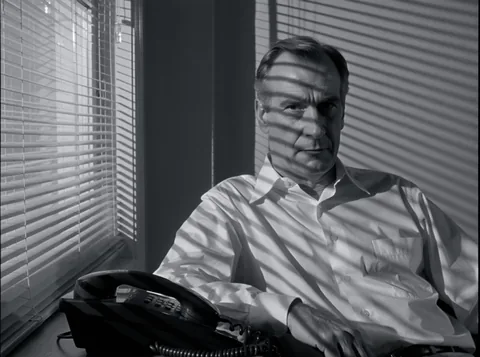
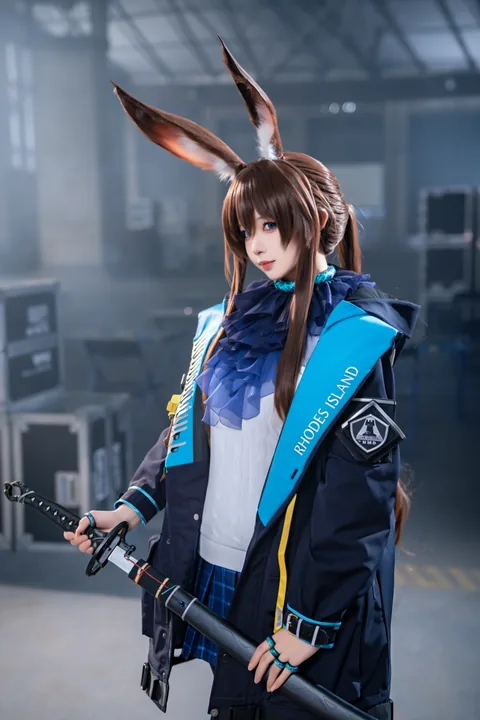
The official Space, embedded. It runs on Hugging Face's free shared GPUs, so a busy queue or a used-up daily quota shows up here. Faster: the 8-step version. Or open it full screen.
Which files fit your GPU?
Pick your graphics card memory. These are the SFT files; swap sft for base in the name for Base.
24 GB or more · RTX 3090 / 4090 / 5090, A6000
| File | Size | Folder in ComfyUI/models |
|---|---|---|
| moss_image_sft_bf16.safetensors | 10.2 GB | diffusion_models |
| qwen3.5_9b_int8_convrot.safetensors | 9.75 GB | text_encoders |
| flux2-vae.safetensors | 0.34 GB | vae |
| Total download | 20.2 GB |
Full-precision transformer. A 5090 user reports 10–12 s for a 1024×1024 image at 30 steps in BF16.
16 GB · RTX 4060 Ti 16G / 4070 Ti Super / 4080
| File | Size | Folder in ComfyUI/models |
|---|---|---|
| moss_image_sft_int8_convrot.safetensors | 5.41 GB | diffusion_models |
| qwen3.5_9b_int8_convrot.safetensors | 9.75 GB | text_encoders |
| flux2-vae.safetensors | 0.34 GB | vae |
| Total download | 15.5 GB |
INT8 transformer, the one ComfyUI's own template loads, with the higher-precision INT8 text encoder. The 15.5 GB total does not have to fit at once: ComfyUI loads the text encoder for the prompt and the transformer for sampling.
12 GB · RTX 3060 12G / 4070 / 5070
| File | Size | Folder in ComfyUI/models |
|---|---|---|
| moss_image_sft_int8_convrot.safetensors | 5.41 GB | diffusion_models |
| qwen3.5_9b_w4a8_gptq.safetensors | 7.34 GB | text_encoders |
| flux2-vae_small.safetensors | 0.25 GB | vae |
| Total download | 13.0 GB |
Exactly the files in ComfyUI's MOSS-Image template. A 3060 12 GB tester measured a 9.7 GB peak with an INT8 transformer and about 137 s per 1-megapixel image at 50 steps.
8 GB · RTX 3070 / 4060 / 2080
| File | Size | Folder in ComfyUI/models |
|---|---|---|
| moss_image_sft_int4_convrot.safetensors | 3.04 GB | diffusion_models |
| qwen3.5_9b_w4a8_gptq.safetensors | 7.34 GB | text_encoders |
| flux2-vae_small.safetensors | 0.25 GB | vae |
| Total download | 10.6 GB |
Community INT4 transformer (needs a ComfyUI build with INT4 ConvRot). The other 8 GB route is the Q4_K_S GGUF, which its author ran on an RTX 3070 in low-VRAM mode; see the download page. The 7.3 GB text encoder will spill into system RAM, so have at least 16 GB of it.
6 GB or less · GTX 1660 / RTX 2060 / laptops
| File | Size | Folder in ComfyUI/models |
|---|---|---|
| MOSS-Image-SFT-Q3_K_M.gguf | 2.89 GB | diffusion_models |
| qwen3.5_9b_w4a8_gptq.safetensors | 7.34 GB | text_encoders |
| flux2-vae_small.safetensors | 0.25 GB | vae |
| Total download | 10.5 GB |
Thin ice: one user says 4-bit quants run on 6 GB with the text encoder offloaded to the CPU, nobody has posted numbers yet, and the GGUF needs the experimental ComfyUI-MOSS-GGUF nodes. The online demo is the easier way.
Mac (Apple Silicon) · M-series, through mflux
| File | Size | Folder in ComfyUI/models |
|---|---|---|
| vanch007/MOSS-Image-SFT-mlx-bf16 | 5.17 GB | mflux model |
| Total download | 5.17 GB |
A community MLX port (transformer 4.92 GB + VAE 0.25 GB) run with mflux-generate-moss-image, 25 steps and guidance 3 in its example. It needs an mflux build with MOSS-Image support; check the model card.
No GPU · browser only
Use a hosted demo: the official Space (50 steps, free with a Hugging Face account quota) or the 8-step distilled Space, which is much faster.
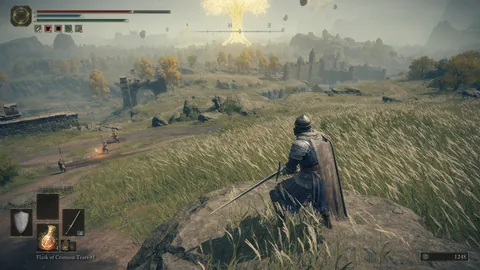
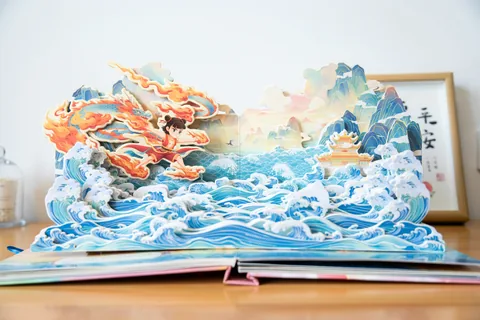
What it makes, with the exact prompts
These come from the official example set: each page has the full prompt, the seed and every setting, and for layout prompts you can switch the boxes on over the image.

Getting it running
- ComfyUI setup: the native nodes or the official plugin, where each file goes, and the errors people hit first.
- Every download: official, Comfy-Org, GGUF, INT4, MLX, turbo LoRAs, with sizes.
- Turbo in 8 or 4 steps: the distilled LoRAs, their settings and what they cost in quality.
- Settings and resolutions: sampler, CFG, skip-layer guidance, and sizes that are multiples of 16.
Getting good results
- Base or SFT? And how to get rid of the vertical stripes SFT paints on skies.
- Layout builder: draw boxes, type the text, copy the JSON MOSS-Image reads.
- Official prompts: natural language, tags, layout JSON and scene JSON side by side.
Quick answers
Can MOSS-Image edit images?
No. It is text-to-image only. In the r/StableDiffusion AMA a core developer said an editing model is under consideration but needs paired datasets that are hard for a small team, and that the next priority is an anime version.
Can I use it commercially?
The code and the weights on Hugging Face are Apache 2.0, which allows commercial use. Community quantizations and LoRAs are mostly Apache 2.0 too; check each card.
Which languages does the prompt accept?
English works best (most training data); Chinese is fully supported, including for rendered text. The official examples use both.
Who made it?
The OpenMOSS team, the group behind the MOSS language models. It took about six months, according to the developer AMA. Per the technical report, it was trained on 3.2 billion images, kept from 5.5 billion in 16 public sources after removing duplicates and AI-generated images.
Why are my images striped?
That is a known SFT issue. See the banding fixes.